With a comment tool beside it
A comment library such as Annotate Pro supplying each comment
about 30 seca student
- Roughly a third of the rubric time
- About half an hour to 1½ hours back on one assignment
A Chrome extension for professors who grade with rubrics in Canvas SpeedGrader. Grade one student the way you always do, then click Remember. From there, one click puts your comment on every criterion, a score on every line, and the student's first name at the top of the assignment comments. You change what that student needs, then submit it yourself.
Free while in beta. Once billing opens it's $24 a year, and you'll be asked, never charged automatically.
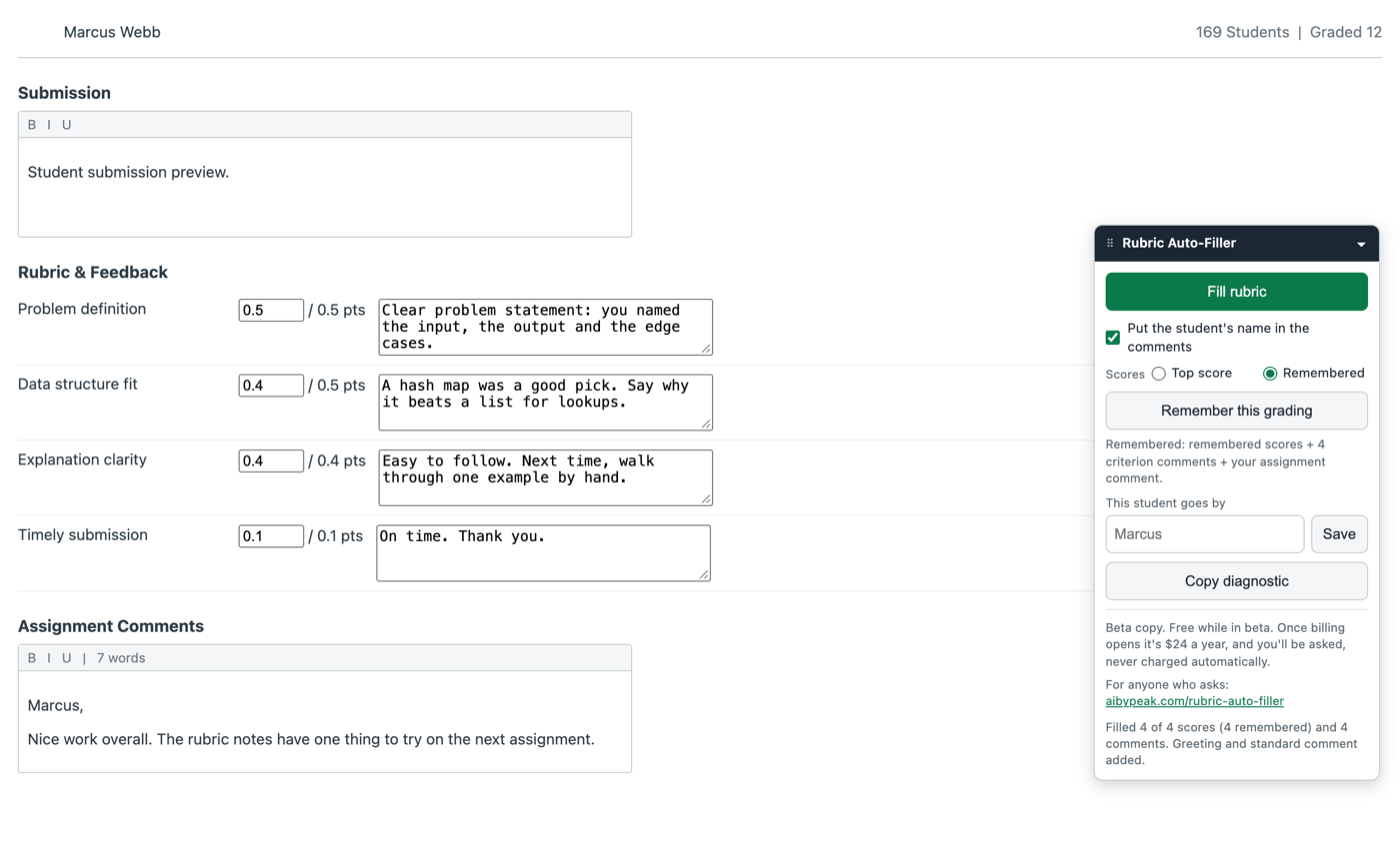
One student, one click of Fill. Shown on a test page that copies the SpeedGrader layout, with a made-up student.
The whole tool is 2 buttons on a small panel in the corner of SpeedGrader. Nothing is written to the page until you click the second one.
Scores, your comment on each criterion, your standard comment in the Assignment Comments box. Then click Remember this grading. It's kept per assignment, so the next assignment starts with a Remember of its own.
Every criterion gets your remembered comment and a score, either the top score or the score you remembered (a switch on the panel picks which). The student's first name goes at the top of the assignment comments, above your standard comment. Switch the name off if you'd rather not.
Edit any line, same as you would have anyway. Then submit the way you always have. The tool never submits an assessment and never posts a grade.
Works in both kinds of Canvas rubric, Scale and Written Feedback, in the Traditional, Horizontal and Vertical views.
The next student, before
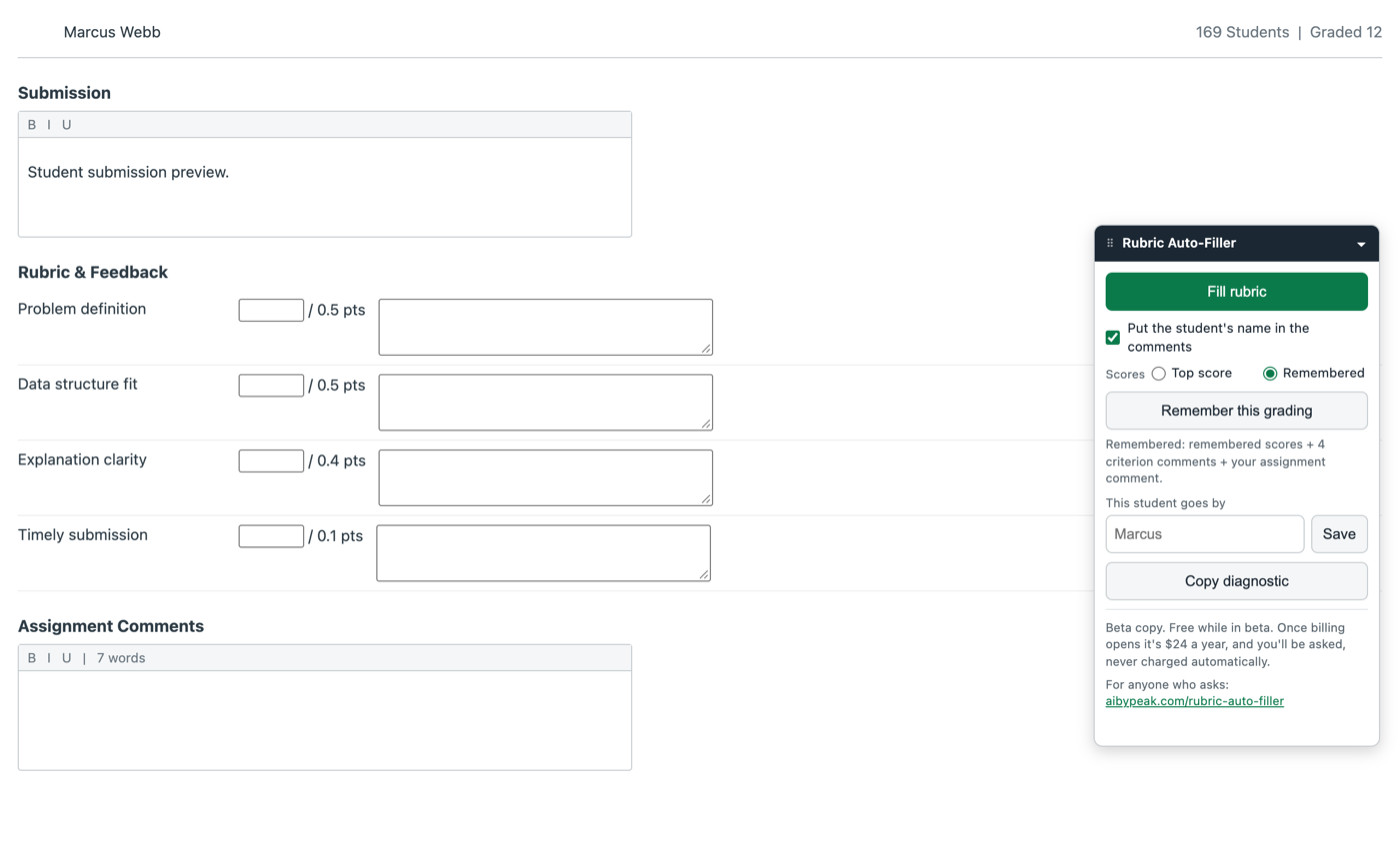
After 1 click
A test page that copies the SpeedGrader layout, so no real student work is on this site. The panel reads the same on your own Canvas.
Two timings, both from one professor's own assignments of 120 to 170 students. Which one is yours depends on where your comments come from today. They're estimates, and your own numbers will probably come out different.
A comment library such as Annotate Pro supplying each comment
Each comment pasted in by hand from a file you keep
Timed by one professor on their own classes, on the Enhanced Rubrics feature in Canvas. The time it gives back is the rubric part, not the reading. Multiply that by however many rubric-graded assignments you set in a year.
Submitting is the one click that's yours. The tool doesn't have a button for it.
You can move between students all day, and the boxes stay exactly as Canvas left them.
On your Canvas site, on the computer you're using. A different computer starts empty.
No account, no sign-in, no tracking and no usage reports. We never see your students, your comments or your scores. The privacy policy, in plain English.
Free while in beta. Right now it's grading real assignments, by invitation only. Once billing opens it's $24 a year, and you'll be asked, never charged automatically. Nobody holds a card for you. When billing opens the panel says so, and you decide.
Billing opens in late September 2026. A copy installed during the beta keeps filling free through December 31, 2026, the end of this semester. From January 1, 2027, Fill asks for a license key before it fills (everything else on the panel keeps working). The listing goes public on the Chrome Web Store the same day billing opens, and the Buy and Add to Chrome buttons appear here.
Want one email when billing opens?
hello@aibypeak.comPut “billing” in the subject, or let the link do it. One email when it opens, and nothing else. There's no mailing list.
Google Chrome, and a Canvas site at an address ending in instructure.com, with the Enhanced Rubrics feature turned on. If your school hasn't switched to Enhanced Rubrics yet, the panel finds no rubric and does nothing.
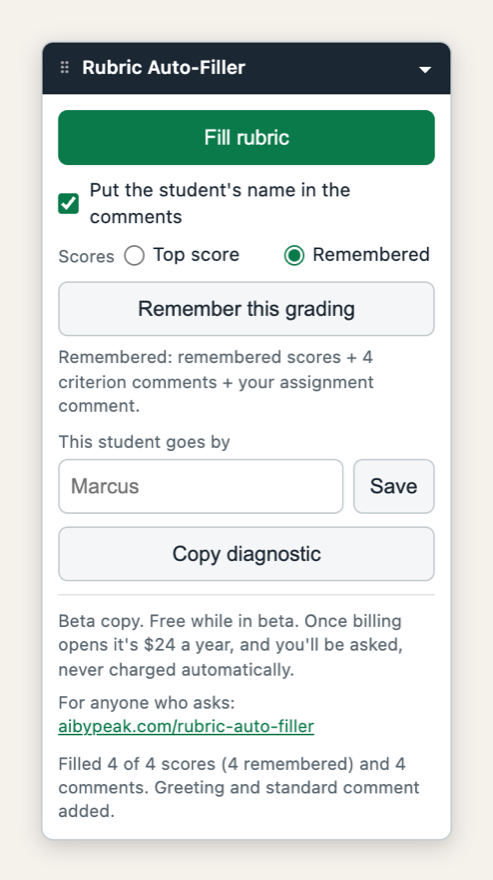
Sits at the bottom left of SpeedGrader. Drag it anywhere, or fold it to a title bar when you don't need it. No toolbar button and no settings page.
Once billing opens, the receipt from your purchase carries a license key. Open any SpeedGrader page, paste the key into the box at the bottom of the panel, and press Save. Your browser remembers it from then on. The key gets checked with Lemon Squeezy, the company that sells the license, once when you paste it and about once a day after that. Nothing else from your grading leaves your browser. Manage or cancel any time at aibypeak.com/rubric-auto-filler/manage/.
Canvas changes often, and now and then a change moves something the tool relies on. When we already know, a line at the top of the panel says so. If it doesn't, click Copy diagnostic and email the result to hello@aibypeak.com. It's a plain report of the page's shape, with no student names or comment text, and it's usually all we need.
Spell it either way. If a colleague said “rubric autofiller” and you searched for Canvas rubric autofill or SpeedGrader rubric comments, this is the one.
AI by Peak is a small company in Indiana. Rubric Auto-Filler grew out of one professor's grading load, and it stays small on purpose. One job, one click. Write to hello@aibypeak.com with any question about it. We read every email.
Jeremey Johnson, founder